Install Vamp Launcher Lite
Direct download for Chrome, Brave, Edge, and any Chromium browser. Takes about 60 seconds. Free, no signup, no account.
vamp-launcher-lite-v1.0.1.zip
Compatible browsers
All Chromium-based browsers use the same zip. Firefox / Safari versions are not currently available.
Install steps
-
Install Phantom wallet (if you don't already have it)
Get it from phantom.app. Vamp Launcher signs every transaction through Phantom — we never see your private keys.
-
Download and extract the zip
Click Download zip above. Right-click the downloaded file and choose Extract All (Windows) or double-click (Mac) to unzip it. Note where you extracted the folder — you'll need it in the next step.
-
Open
chrome://extensionsPaste that into your browser's address bar and press Enter. (Brave:
brave://extensions. Edge:edge://extensions.) -
Turn on Developer mode
Toggle the Developer mode switch in the top-right corner of the extensions page. New buttons will appear under the page title.
-
Click "Load unpacked"
A folder picker opens. Navigate to the folder you extracted in step 2, click on it once to select it, then click Select Folder. The extension will load immediately. You'll see Vamp Launcher Lite appear in your extensions list.
-
Pin the V icon to your toolbar
Click the puzzle-piece icon in your browser toolbar, find Vamp Launcher Lite, click the pin icon next to it. The red V icon now lives in your toolbar.
-
You're ready to launch
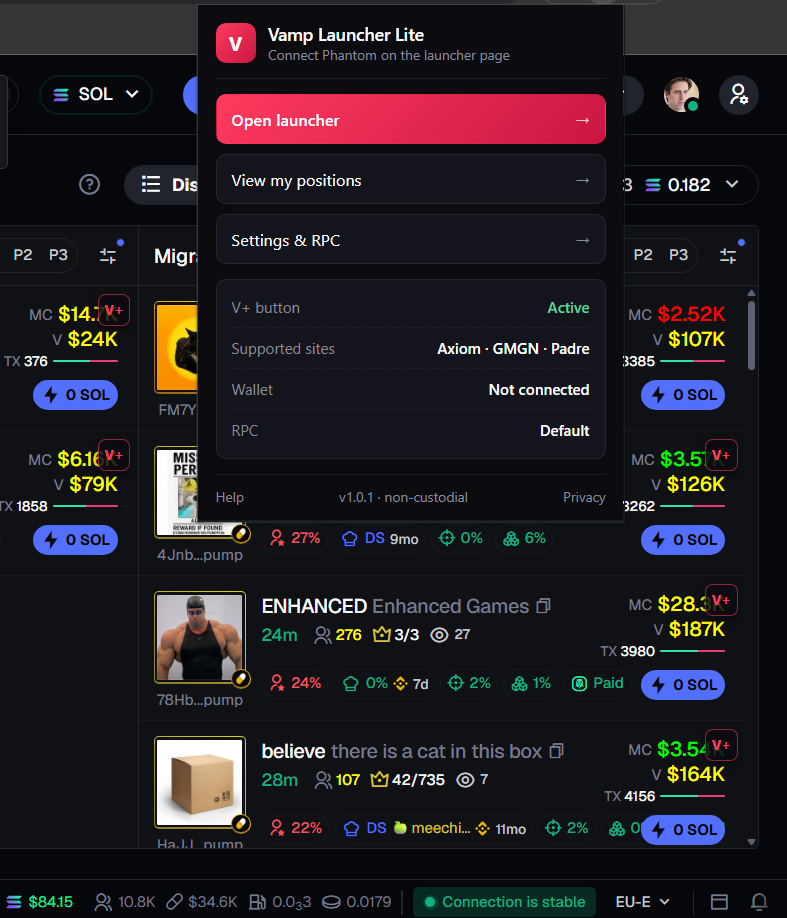
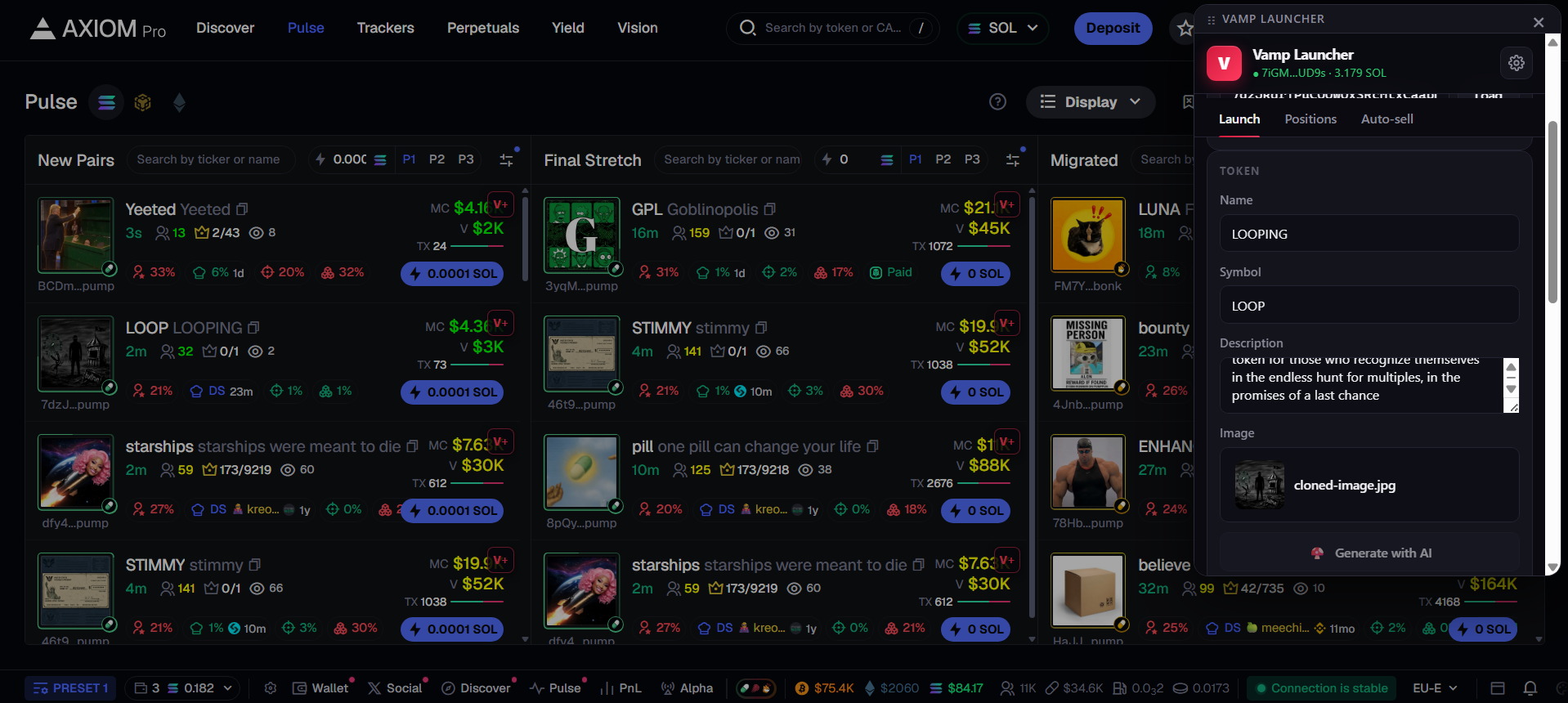
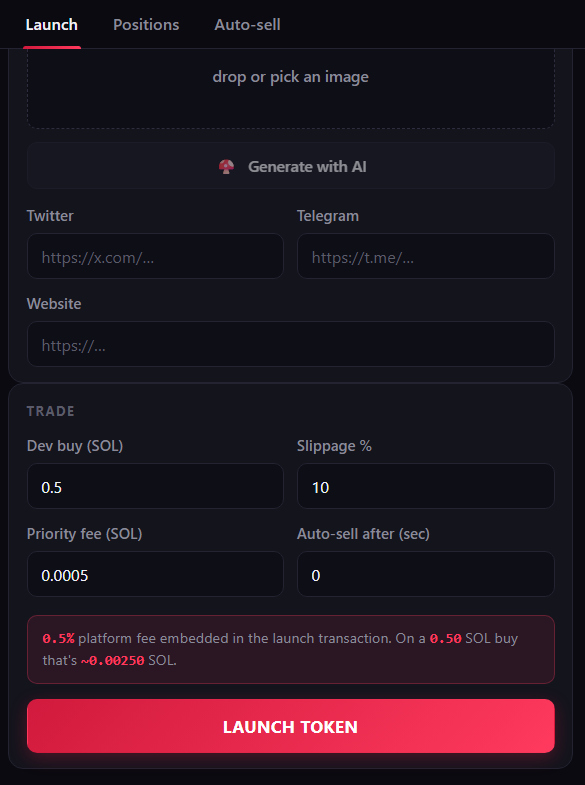
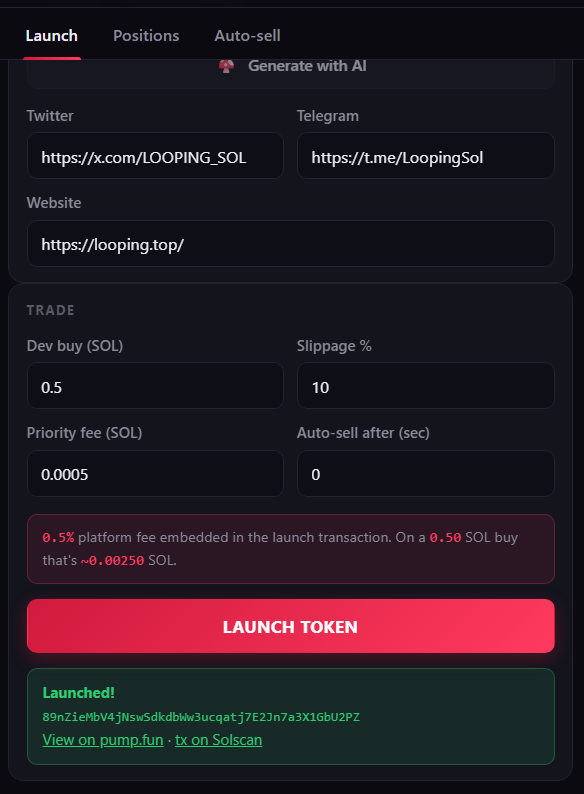
Click the V icon to open the popup. From there, "Open launcher" takes you to the launch form. Or, visit any supported trading terminal (Axiom, GMGN, Padre) and click the V+ button on any token row to clone it.
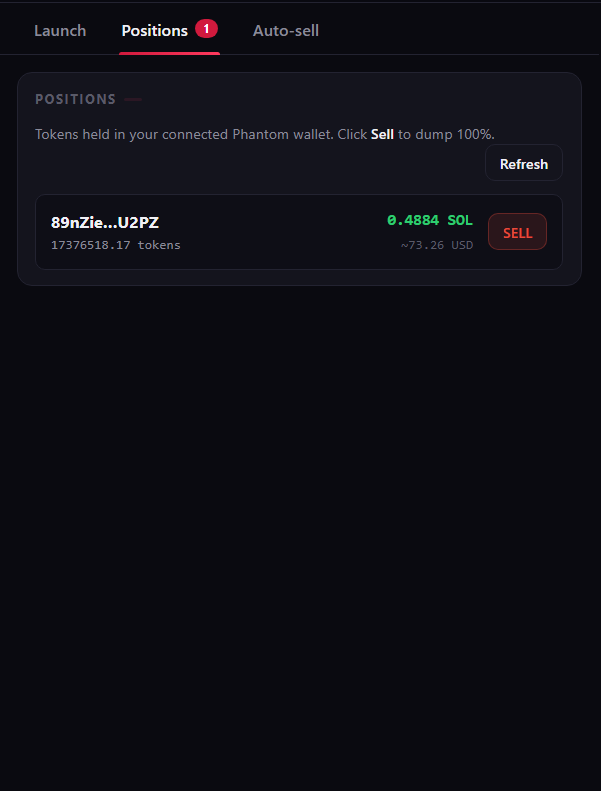
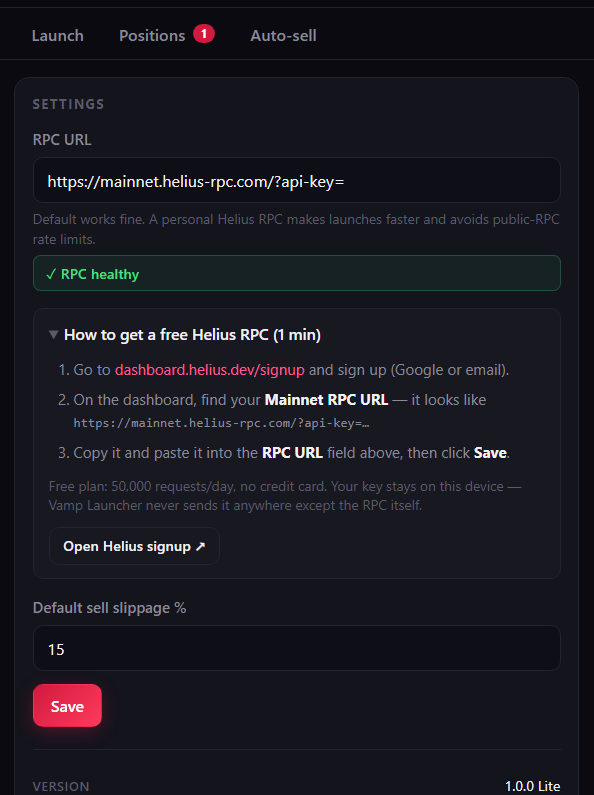
What it looks like
Why direct download (not Chrome Web Store)
Chrome Web Store's policies don't currently permit Solana token launchers with embedded platform fees, regardless of how they're built. Direct distribution is the standard for this category — the same approach used by Axiom, BullX, Photon, Trojan, and most other Solana trading tools. You get the same extension, just installed via Developer mode instead of one click.
Updates
The extension doesn't auto-update (only Chrome Web Store installs do). When a new version ships, you'll see a notice in the toolbar popup. Re-download the new zip from this page and repeat the "Load unpacked" step — pointing it at the new folder. Your settings (RPC URL, slippage) are stored in your browser and persist across updates.
Verify the file
If you'd like to verify the download came from us and hasn't been tampered with, email [email protected] and we'll share the SHA-256 hash for v1.0.1. We'll also publish hashes on a planned GitHub releases page.
Common issues
"This extension may have been corrupted" error
Usually means the zip wasn't fully extracted before clicking Load unpacked. Make sure you're pointing Chrome at the extracted folder, not the zip file itself. The folder should contain manifest.json directly inside it (not nested in another folder).
"Manifest file is missing or unreadable"
You selected the wrong folder. Look inside the folder you're picking — if you don't see manifest.json at the top level, go one level deeper and try again.
The V+ button doesn't appear on Axiom / GMGN / Padre
Refresh the page after installing the extension. The content script only injects on page load. If it still doesn't appear, check that the extension is enabled in chrome://extensions and that the site you're on is one of the four supported terminals (axiom.trade, axiompro.app, gmgn.ai, padre.gg).
Phantom doesn't pop up when I click "Launch"
Make sure Phantom is unlocked. The launcher page must be a real https origin (vamplauncher.com/app) for Phantom to inject — this is a Phantom design choice, not ours.
Can I install on mobile?
Not currently. Chrome on mobile doesn't support extensions. Kiwi Browser on Android allows unpacked extensions, but Phantom mobile uses WalletConnect and doesn't work the same way as the desktop extension.
Need help? Email [email protected] or use the contact form. Discord coming soon.